How to Buy Bitcoin on Binance
Follow these simple steps to buy Bitcoin on Binance using the spot market.
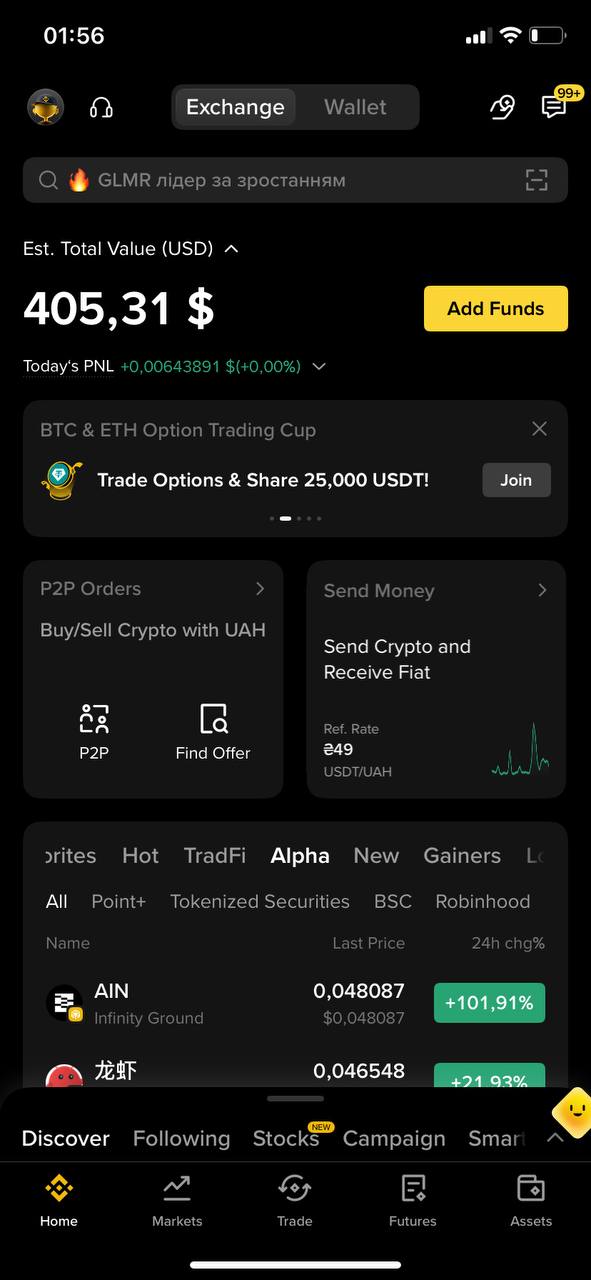
1
Open the Binance app
Open the Binance app on your phone.
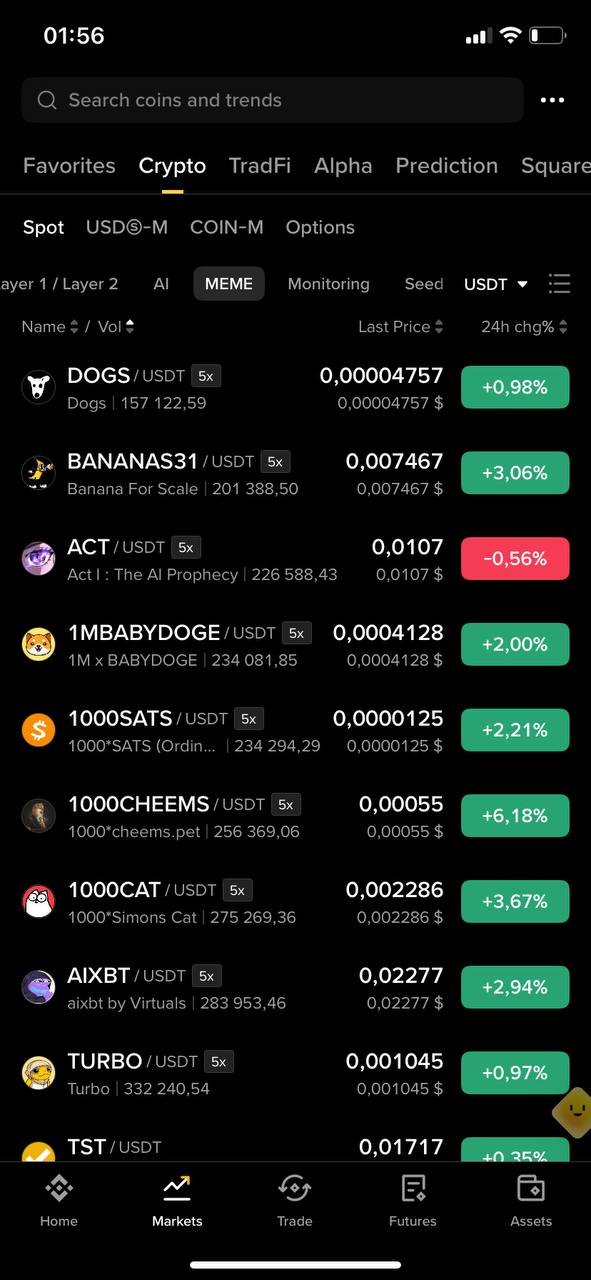
2
Open Markets
Tap the Markets section.
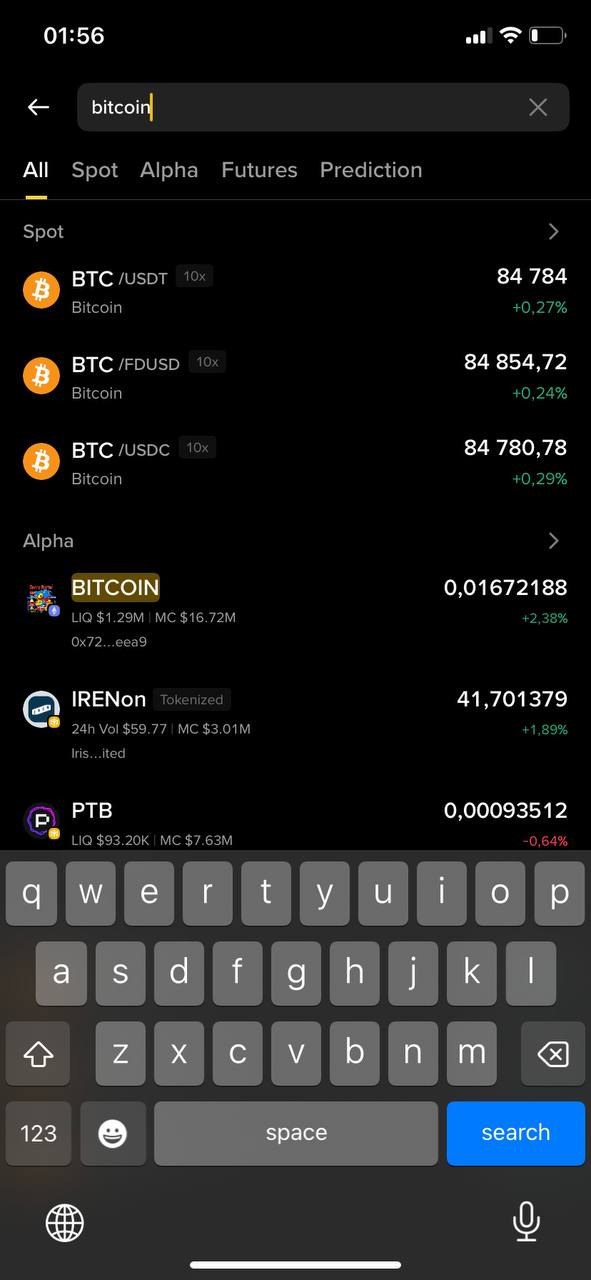
3
Find Bitcoin
Enter bitcoin in the search field and select BTC/USDT (spot).
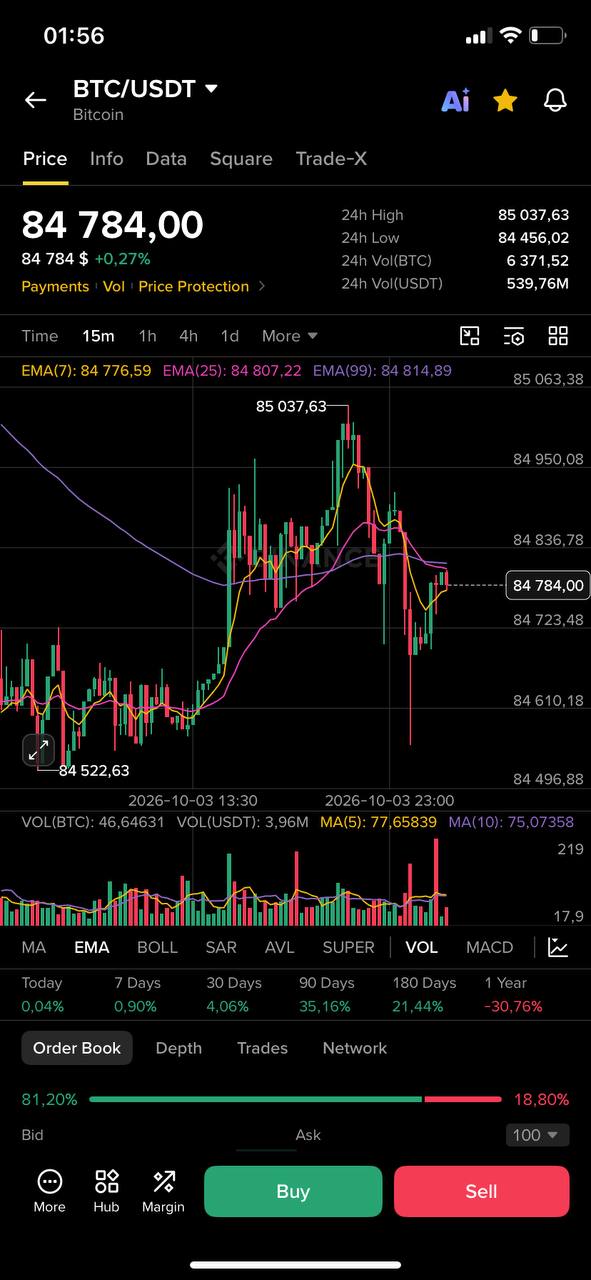
4
Tap Buy
At the bottom of the screen, tap the green Buy button.
5
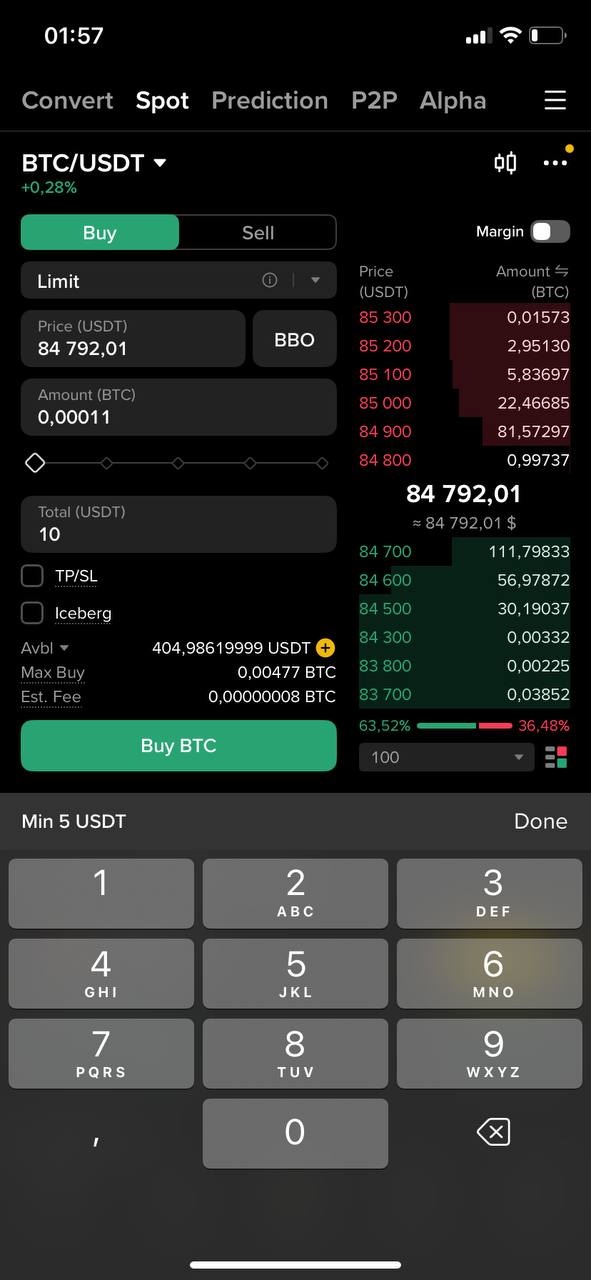
Enter the amount
In the Total USDT field, enter the amount you want to spend in US dollars if your account is set to dollars, then tap BUY BTC.
6
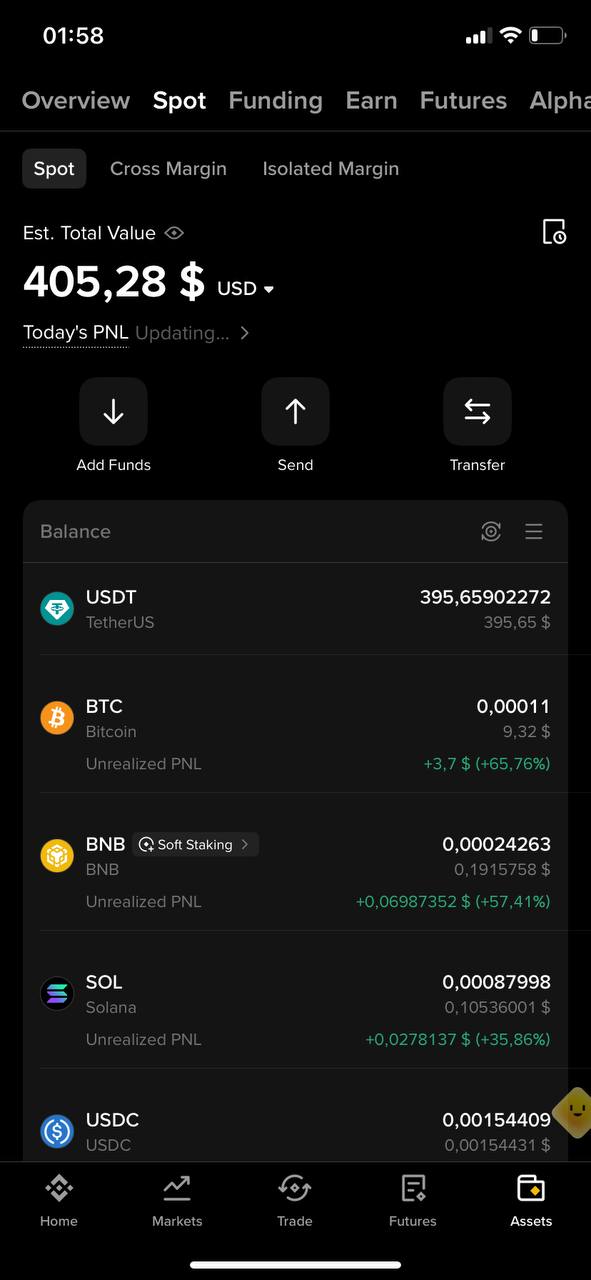
Check your Bitcoin balance
Open Assets, then select Spot at the top and check whether Bitcoin is shown in your balance. If it is not there yet, wait for your buy order to be filled.
Your Bitcoin purchase is complete!
Once your order is filled, your Bitcoin will appear in your Spot balance.
Before buying Bitcoin
Make sure you are using the BTC/USDT spot market and carefully check the amount before confirming your order.